23. Network Related Events
23.1 WAN Link Quality, Tunnel Link Quality
ChiefNET continuously monitors all the WAN ports and tunnels for the quality of the network, in addition to monitoring those for the link status itself.
For the WAN ports and for tunnels, link quality is measured with the use of probe packets. Typically no operator intervention is necessary for small packet losses as the applications will usually recover from such errors on their own. These low-level packet losses are due to congestion in the ISP networks.
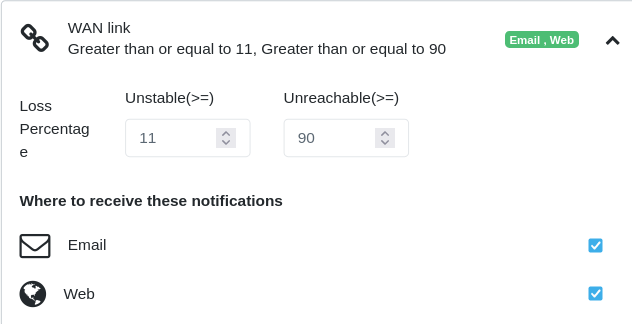
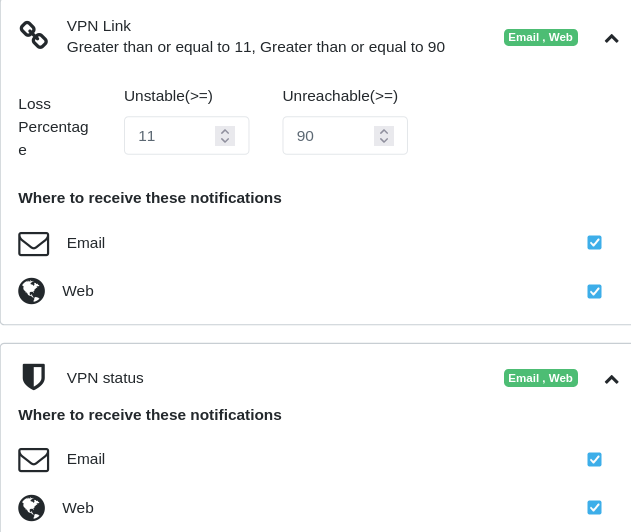
When packet losses exceed 10%-11%, the impact to the applications becomes more apparent. ChiefNET detects these conditions on each WAN and tunnel and raises an alert 'link is unstable'.
When packet losses exceed 90%, the link is considered unusable as it will certainly impact all the applications.
Actions: - When this alert is raised, it is usually a result of the ISP network link outage or packet losses in the ISP network. - In these cases, a configuration of the traffic policy thresholds will automatically take effect. Hence even when the alerts are raised, ChiefNET handles the traffic by rerouting it to a more stable WAN network.
Screenshots of the related settings:
- WAN Link Stability
- Tunnel Link Stability and Status
23.2 SDWAN Tunnel Latency
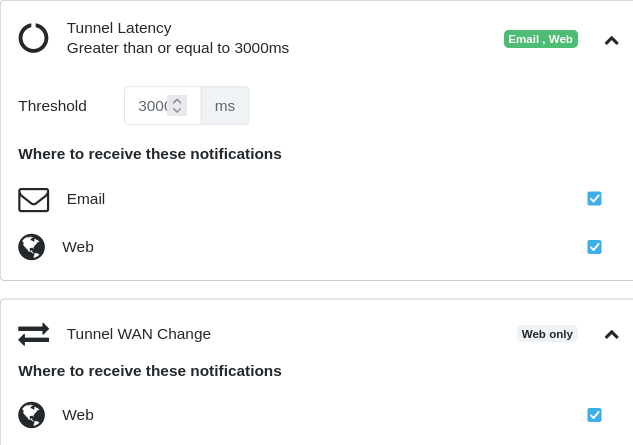
ChiefNET monitors the round-trip time on each tunnel by monitoring the RTT using ICMP probes. An alert is raised if the latency exceeds 3 seconds by default. The threshold is configurable to override the default value.
Actions:
- When this alert is raised, it is usually a result of the ISP network link outage or packet losses in the ISP network.
23.3 Ping Latency
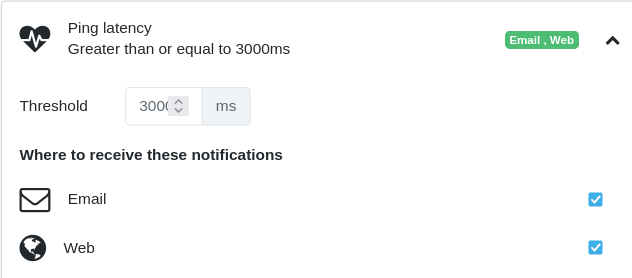
In some cases, it is desirable for the customer to monitor the network quality by monitoring the ICMP round-trip time to a configured destination that may be specific to the customer's network. For instance, it may be desirable to monitor network latency between a branch computer and the database server at the HQ.
The customer may configure such a destination on a ChiefNET CPE which then is monitored continuously using ICMP. The threshold may be configured to override the default of 3 seconds.
Actions:
- If the ping latency alert is raised, it is usually a result of the ISP network outage.
23.4 Bandwidth Utilization
All WAN interfaces are monitored for their utilization. Most ISPs do not provide you with a fixed bandwidth. They provide you with a nominal bandwidth on a link, but the actual available bandwidth varies drastically. We have observed that the actual available bandwidth varies even 3x or 4x that of the promised bandwidth and at other times it can be as low as 10% of the promised bandwidth.
The bandwidth range also varies significantly whenever ISPs take different routes or different peers on the Internet. Due to its unpredictability, we advise that the customers pay attention to the service levels of their applications instead of this number.
However, ChiefNET provides the bandwidth utilization solely for the purpose of understanding the current quality of service on the WAN links.
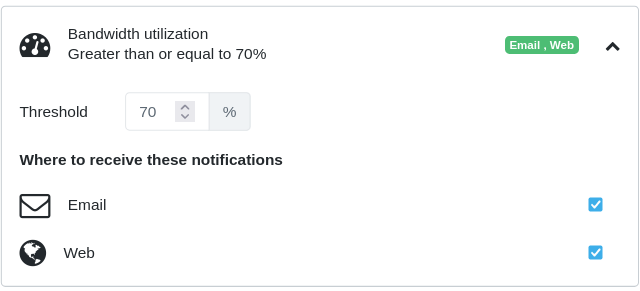
Actions:
-
The alert is informational. It is not indicative of any error. The customer should see if the utilization is expected to increase based on the characteristics of their users and determine if the link bandwidth should be upgraded. As an example, if the link bandwidth usage is frequently at 90% and if some users are also experiencing poor Internet access quality around that time, the correlation is likely that the WAN link bandwidth should be upgraded.
-
When the alert is raised, check the monitor dashboard for 'top talkers' or 'top applications' to find out if there is a specific LAN host that occupies the bandwidth.
-
The concern becomes real only when the ISP enforces the bandwidth limit. In most cases, the ISPs indicate a nominal bandwidth but allow as much as they have the bandwidth. In those cases, we recommend that this alert be disabled on the UI. If it is not disabled, one will see alerts raised to more than 100%. The system won't artificially limit the usage percentage to 100%.